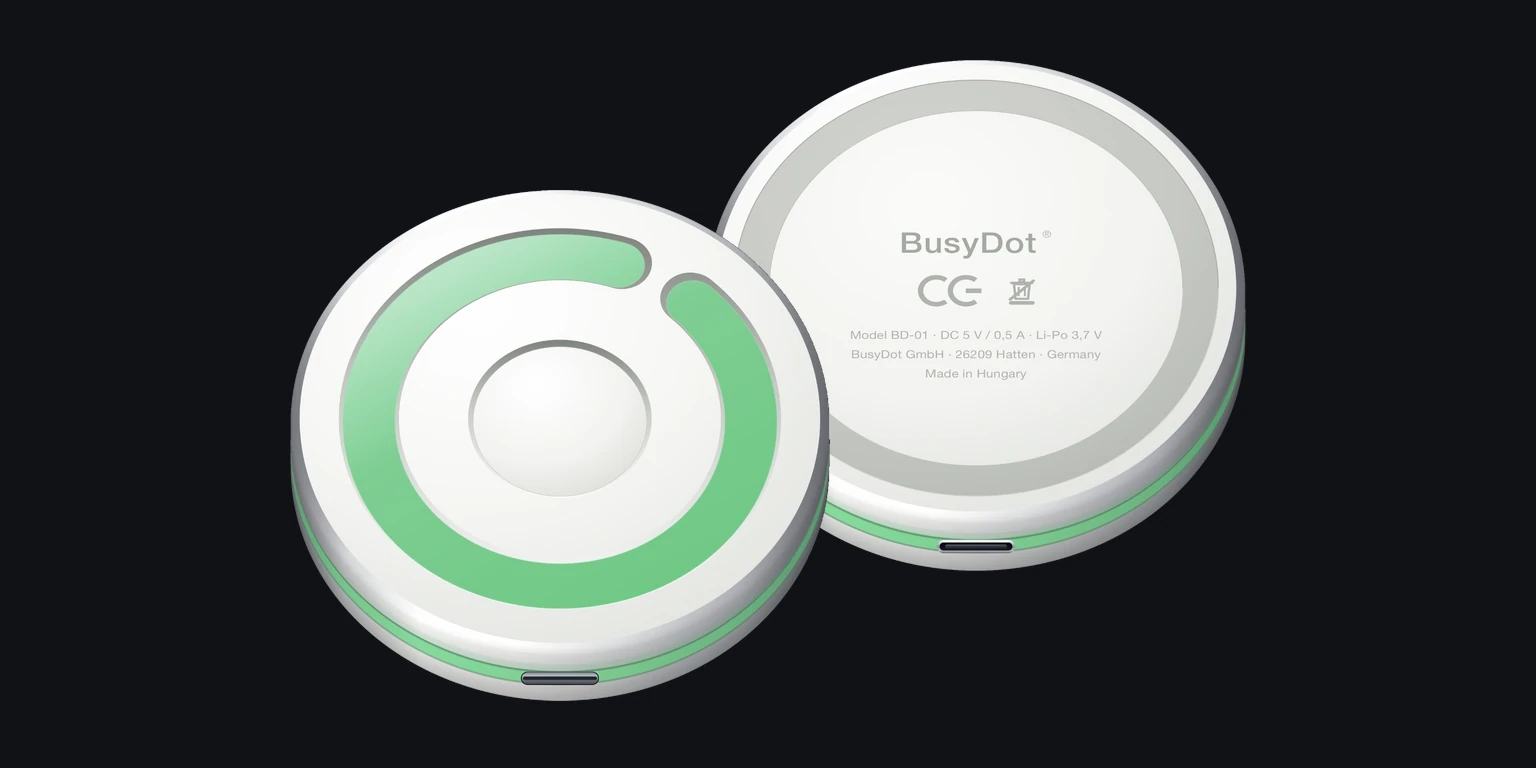
The question takes ten seconds. The train of thought it derails takes 23 minutes to come back. BusyDot® is a wireless light for your door, desk and studio setup – one glance says whether now is a good moment. Without a word.
An open door, a quick knock, a question at the wrong moment – and the thought is gone. Working from home, on a call, in an interview, on a live stream. The problem is never the question. It is the timing.
23 min.
is how long it takes on average to get back to full concentration after a single interruption.
2 tasks
typically come in between – people rarely return straight to what they were doing.
1 glance
is all it takes to prevent the interruption in the first place. BusyDot® needs nothing more.
Source for the first two figures: research by Gloria Mark, University of California, Irvine, on resuming interrupted work.
Play
The most famous proof in the world: live on BBC News.
Words interrupt. A light does not.
What an interruption costs
Concentration lost
0 min.
Tippe auf „Es klopft" und sieh, was aus zehn Sekunden wird.
02 — The solution
Three colours. One rule.
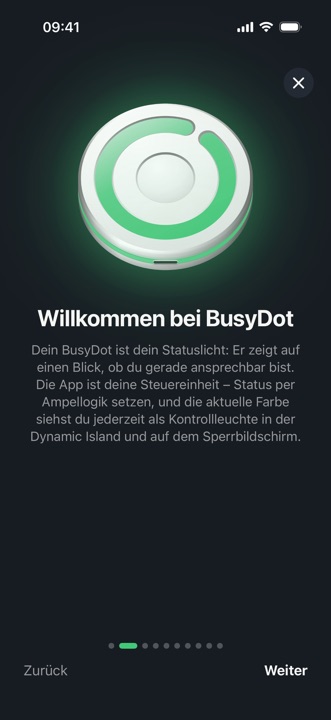
Everyone understands a traffic light without being taught – children, colleagues, visitors. That is what BusyDot® turns a status light into: a silent agreement nobody has to learn.
STEP 1
Attach it
A thin metal ring on the door, wall or desk – the Dot holds magnetically. No drilling, no marks, no cable in the way.
STEP 2
Set your status
One tap on your iPhone, Apple Watch or Mac. On the Mac the automation can take over – no tapping at all.
STEP 3
Get some peace
Whoever stands in front of it sees straight away whether now is a good moment. No question, no apology, no interruption.
03 — The app
One dot. Three statements.
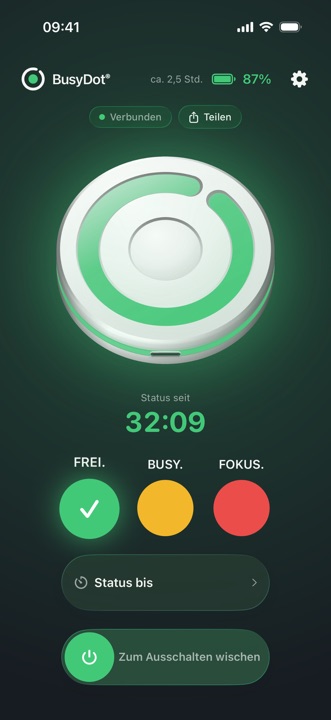
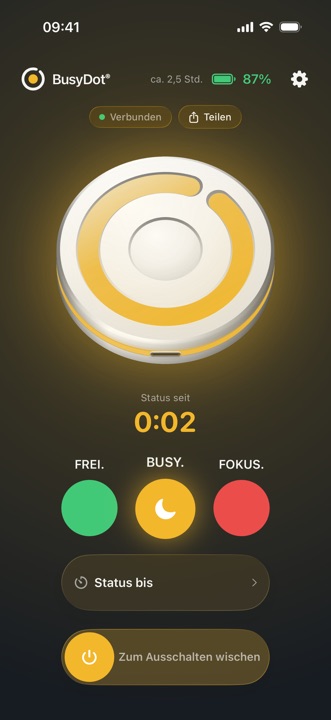
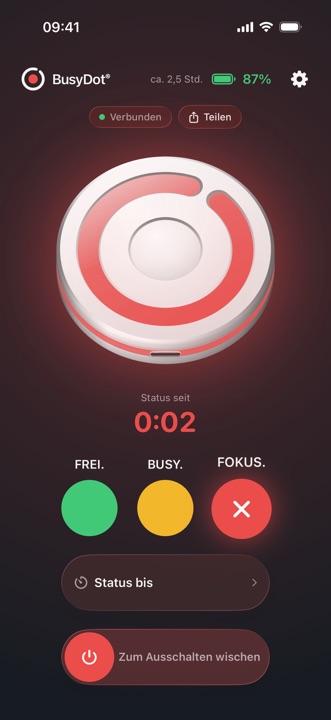
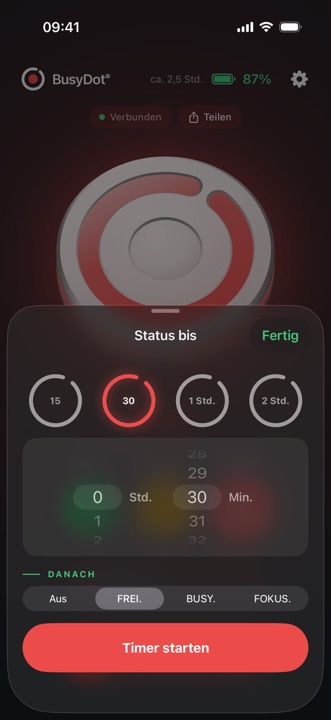
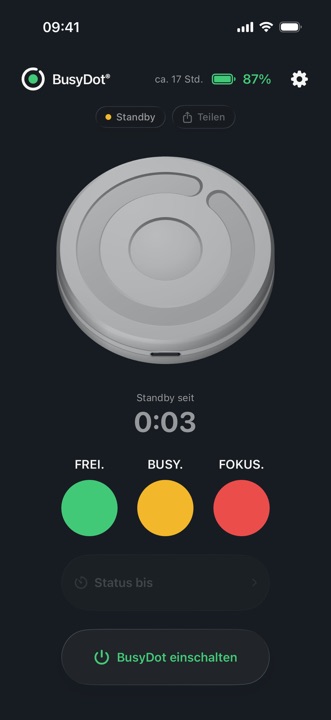
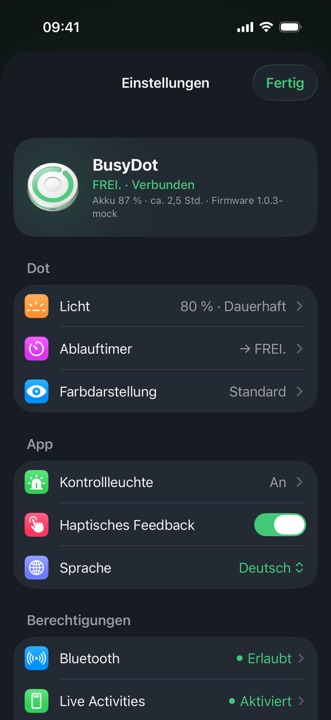
You set your status right in the app: FREE., BUSY. or FOCUS. – on your iPhone or Apple Watch. Both stay in sync and your BusyDot® changes colour instantly. Try it right here.
The app in action
Tap FREE. / BUSY. / FOCUS. – on the phone or the watch. Drag the switch to turn it off.
One tap is enough
The main screen shows the Dot in its real colour, the battery level, the estimated remaining runtime and how long the status has been active.
04 — The Mac
The Mac switches by itself.
The best status light is the one you never have to think about. The Mac app detects system-wide whether the microphone or camera is in use – by any app at all – and sets the status on its own. Microphone open means BUSY., camera on means FOCUS.
Automation instead of tappingThe Dot switches the moment a call starts – and back again when it ends. The camera takes priority: anyone walking in while video is running ends up in a stranger’s call uninvited.
Lives in the menu barA dot in your status colour, always visible. One click opens a panel with status, timer and power switch – you only need the window if you want it.
Never listens inBusyDot reads exactly the signal macOS itself uses to light the green and orange dot in the menu bar: device state only, never content. No stream is opened, and for the microphone there is not even a permission prompt.
9:41
FREE. Come on in.
Nothing active
FREE.BUSY.FOCUS.
A recreation of the menu bar panel. The automation can be paused at any time – a status you set by hand then stays put.
05 — Everywhere
Your status is there, wherever you look.
Not just on the Dot. Everywhere you already look – and switchable with one tap, without opening the app.
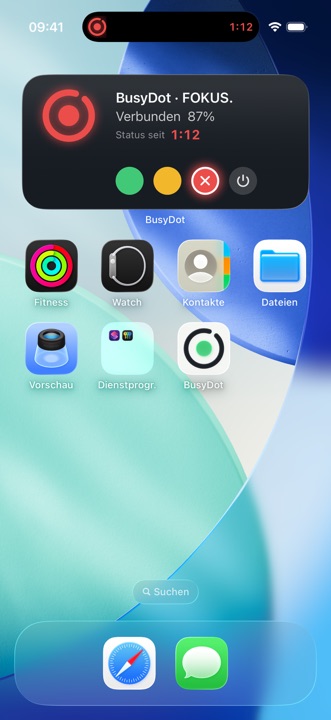
Lock Screen & Dynamic Island
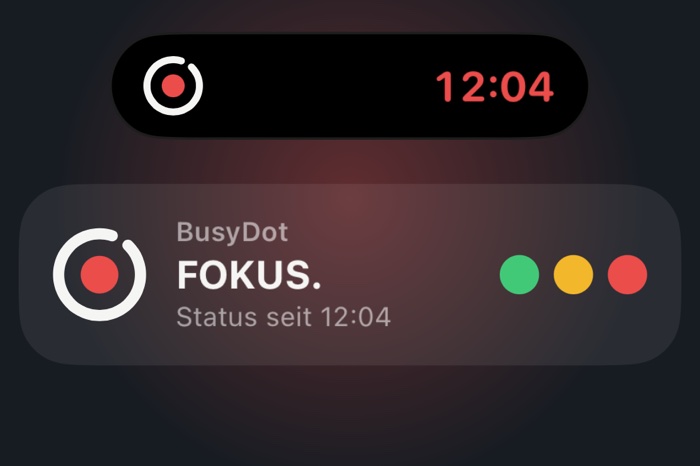
The Live Activity shows colour, battery level and the running timer – with buttons to switch status right inside it.
Apple Watch
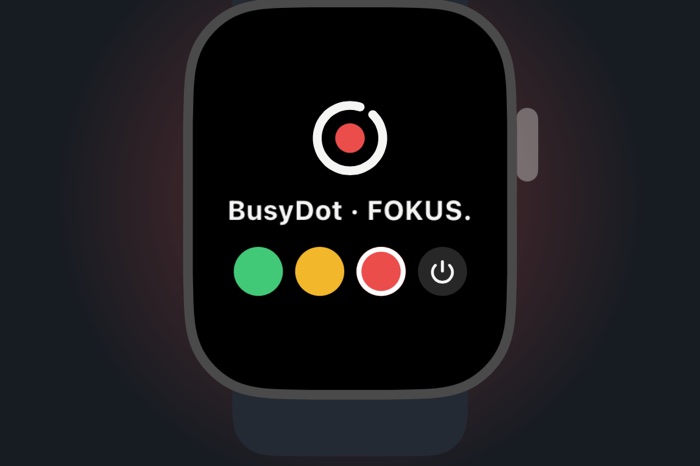
A full app plus a complication for your watch face. Change status without hunting for your phone.
Widgets
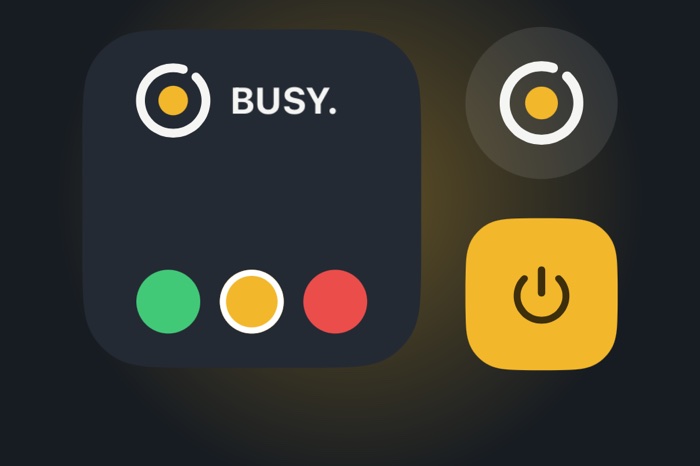
On the Home Screen, the Lock Screen and the Mac desktop. One tap on the widget sets your status.
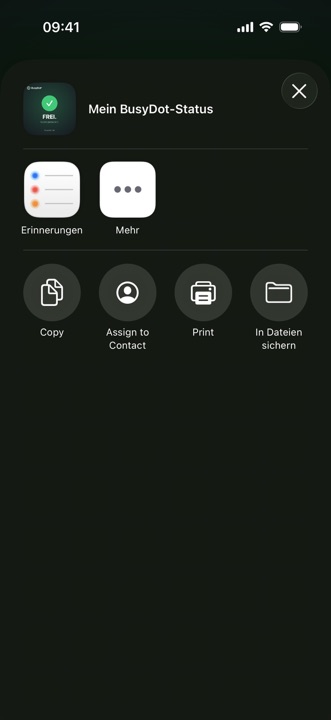
Share your status
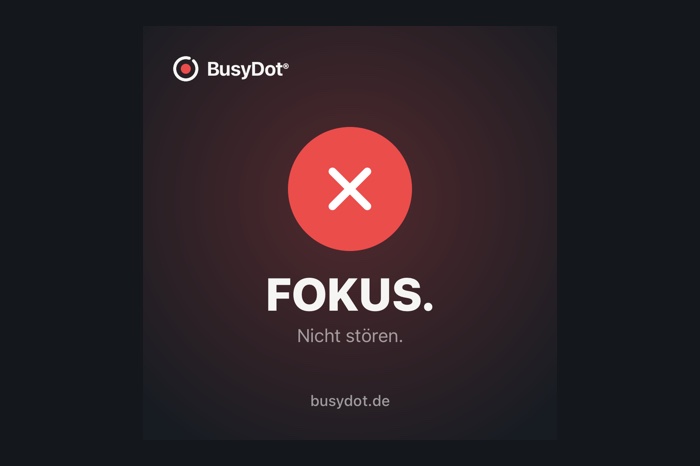
A card with your status, the time and what comes next – for everyone who is not standing at your door.
06 — The device
Designed without cables.
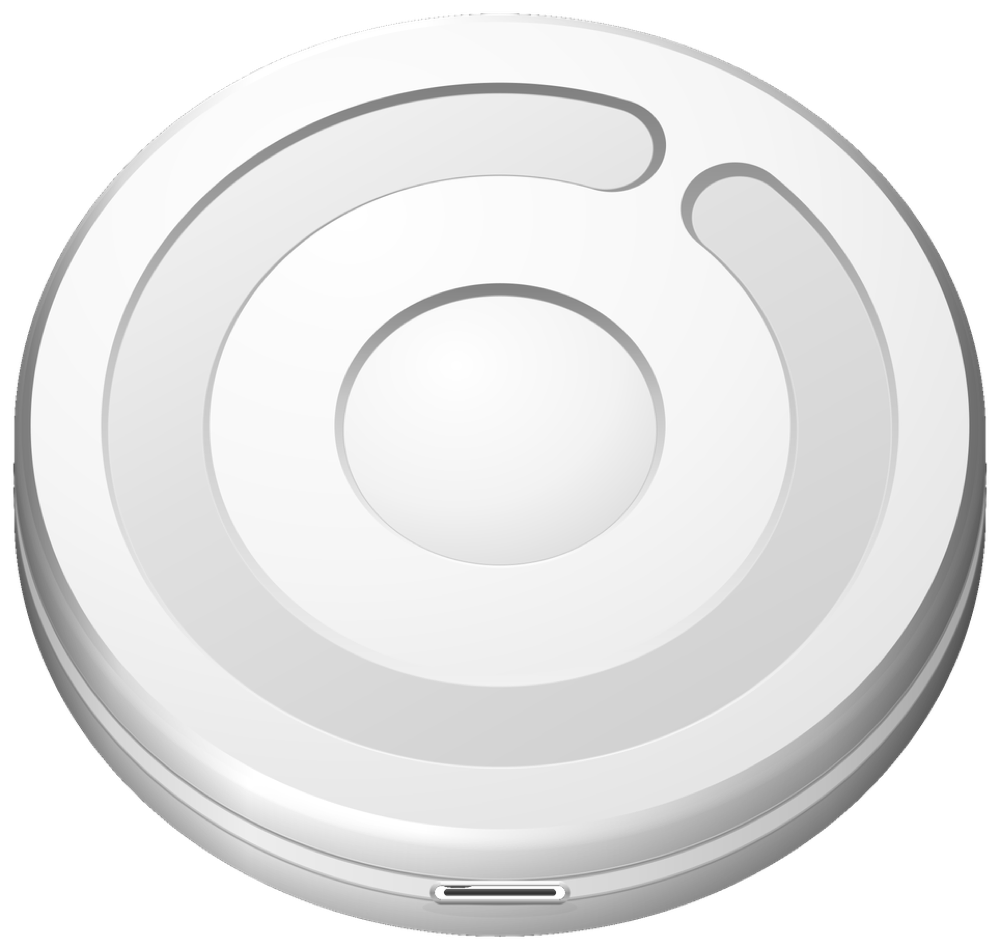
A flat, round body with a glowing ring. No cable clutter, no screen, no distraction – just one clear signal.
Wireless
No cable in use. Place it freely wherever focus matters.
USB-C
Charges over the standard port. No adapter chaos.
Magnetic
Holds on a self-adhesive metal ring – removable, no drilling.
Compact
Small enough for a door, wall, desk or studio setup.
1
Stick the ring
A thin, self-adhesive metal ring – on a door, wall or desk.
2
Attach the Dot
The magnet pulls it right into the ring. No drilling.
3
Done
It glows. Lift it off to charge – no marks left behind.
07 — In the room
Right where inter- ruptions begin.
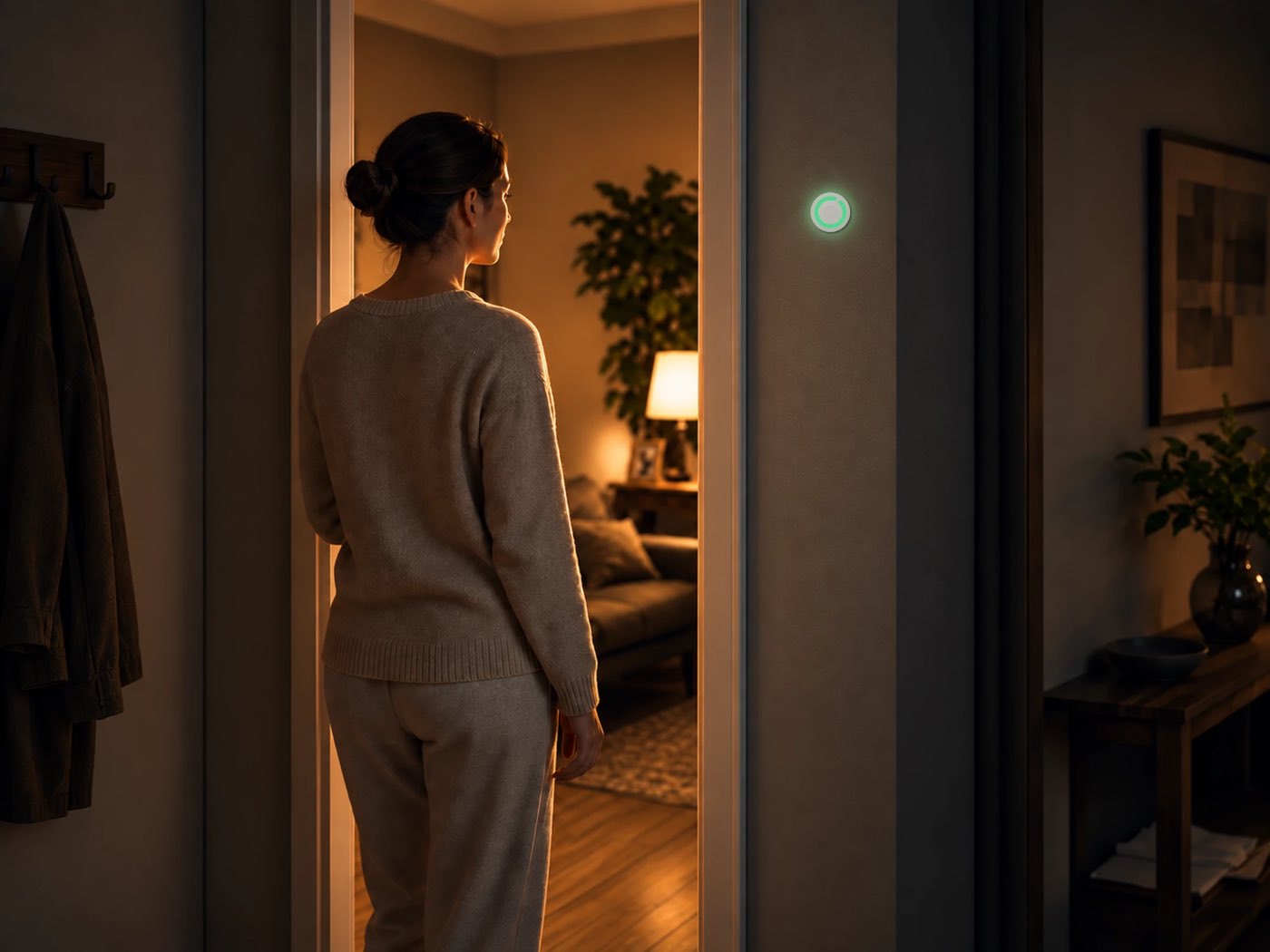
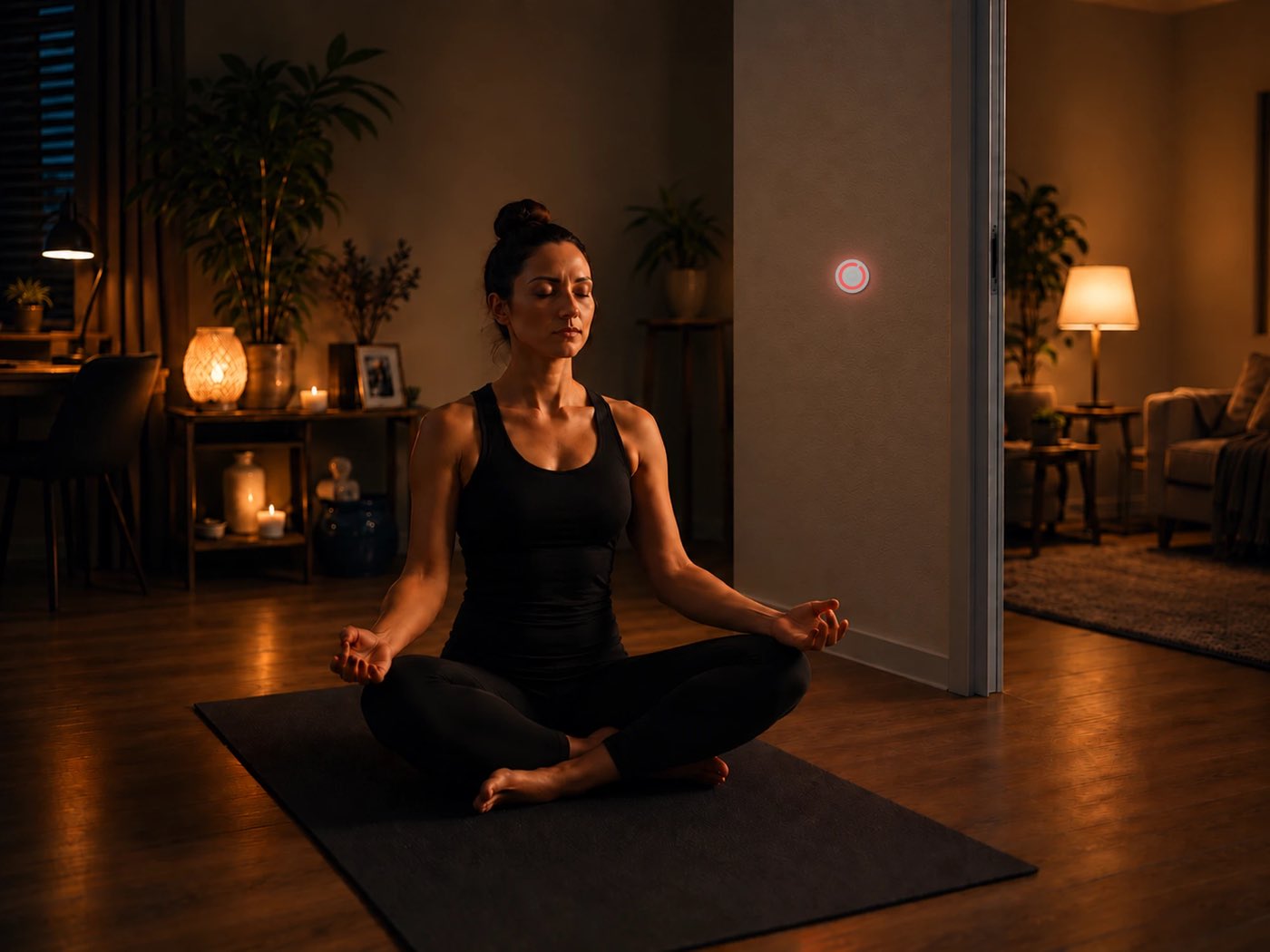
At the door, at the desk, in the quiet corner. BusyDot® sits exactly where people would otherwise walk in – and speaks before anyone asks.
08 — Who it is for
Everywhere focus deserves protection.
Companies
Fewer micro-interruptions, more focused time – visible in open-plan offices, at individual desks, in meeting rooms.
“On air” at a glance. No more accidental walk-ins while recording – on the Mac it even happens automatically the moment the camera turns on.
Red at the press of a button – in one second
Fits the setup, not the shot
At home
So family and flatmates can see when you are concentrating – without a single “shhh, I’m on a call”.
Consideration without words
Simple enough for a child
09 — Behind it
We build technology that creates consideration.
BusyDot® is being built by an early-stage German tech startup – with passion and precision in Oldenburg. Interdisciplinary, from the first idea to the LED ring.
Florian Hausjell
Founder & Project Lead
The originator, strategist and driving force behind BusyDot.
Felix Rüger
Founder & Business Development
Co-founder, entrepreneur and structure builder with an eye for the essentials.
Marlon Gehlenborg
Software Development
Makes sure BusyDot reacts intelligently and works reliably.
Hamsavruthan Rajkumar
Hardware Development
Gives BusyDot its shape – from the circuit board to the LED ring.
Our fifth team member: AI. ChatGPT and Claude are practically on the payroll – they work through the night and never need coffee. We do the rest.
BusyDot® is still in development. Join the launch list and we will get in touch as soon as it is ready. No obligation, no purchase.
We cannot send mail from this page – your click opens a ready-made email to us that you only need to send.
Clicking opens your email app with a pre-filled message to info@busydot.de.
Contact & investor relations
Questions, press, partnerships – or interested in joining the early phase as an investor? We are looking for people who see more than a gadget: a new status culture. Direct line: info@busydot.de
Stay in the loop
Regular updates on the startup journey are on LinkedIn.
11 — Questions
Briefly explained.
Not yet – BusyDot® is still in development. Joining the launch list secures you early access and you will be the first to hear when it goes live.
FREE. (green) – come on in, I am available. BUSY. (amber) – please knock, I am briefly occupied. FOCUS. (red) – do not disturb, I am concentrating.
With a tap in the app – on your iPhone, Apple Watch or Mac. All devices stay in sync and your BusyDot® changes colour immediately. On the Mac it can happen without any tapping at all.
The Mac app queries system-wide whether the microphone or camera is currently in use – exactly the signal macOS itself uses to light the green and orange dot in the menu bar. Microphone open means BUSY., camera on means FOCUS. Only device states are read, never content; no audio or video stream is opened. The automation can be paused or switched off at any time.
In use, yes – BusyDot® runs without a cable and charges over USB-C. That way it sits freely wherever focus matters. The app shows the battery level and estimated remaining runtime.
With a thin, self-adhesive metal ring. The device holds magnetically and comes off for charging – no drilling and no marks.
iPhone, Apple Watch and Mac – with widgets, a Live Activity on the Lock Screen and Dynamic Island, plus a complication for the watch face. The interface is available in English and German.
Yes. Larger quantities and custom options are available for companies. Just note it when signing up under “For my team”.
Florian Hausjell & Felix Rüger, Anschrift wie oben.
Marke
BusyDot® ist eine beim DPMA eingetragene Marke (Registernummer 302025201786) und daher geschützt.
Haftung für Inhalte
Die Inhalte dieser Website wurden mit größter Sorgfalt erstellt. Für Richtigkeit, Vollständigkeit und Aktualität übernehmen wir jedoch keine Gewähr.
Haftung für Links
Diese Website enthält Links zu externen Websites Dritter, auf deren Inhalte wir keinen Einfluss haben. Für diese fremden Inhalte ist stets der jeweilige Anbieter verantwortlich.
Urheberrecht
Alle Inhalte, Bilder und Designs unterliegen dem deutschen Urheberrecht. Jede Verwertung außerhalb der Grenzen des Urheberrechts bedarf der schriftlichen Zustimmung der Urheber.
Rechtliches
Datenschutz
1. Verantwortlicher
BusyDot GmbH, Pappelallee 3, 26209 Hatten, vertreten durch die Geschäftsführer Florian Hausjell und Felix Rüger. E-Mail: info@busydot.de
2. Allgemeines
Wir verarbeiten personenbezogene Daten ausschließlich nach DSGVO und BDSG. Diese Erklärung informiert über Art, Umfang und Zweck der Verarbeitung auf www.busydot.de.
3. Hosting
Diese Website wird bei der STRATO AG, Otto-Ostrowski-Straße 7, 10249 Berlin, gehostet. Beim Aufruf der Seite erhebt der Anbieter automatisch Server-Logfiles, die Ihr Browser übermittelt (Browsertyp und -version, Betriebssystem, Referrer-URL, Hostname des zugreifenden Rechners, Uhrzeit der Anfrage und IP-Adresse). Diese Daten dienen dem sicheren, stabilen Betrieb der Website und werden nicht mit anderen Datenquellen zusammengeführt. Rechtsgrundlage ist unser berechtigtes Interesse an einer fehlerfreien Darstellung (Art. 6 Abs. 1 lit. f DSGVO). Mit STRATO besteht ein Vertrag zur Auftragsverarbeitung gemäß Art. 28 DSGVO.
4. Vormerkung & Kontakt
Bei Vormerkung oder Kontaktaufnahme verarbeiten wir die angegebenen Daten (Name, E-Mail, ggf. Firma) zur Bearbeitung der Anfrage – Art. 6 Abs. 1 lit. b DSGVO. Die Daten werden gelöscht, sobald sie nicht mehr erforderlich sind.
5. Eingebettete YouTube-Videos
Wir binden ein Video von YouTube (Google Ireland Limited, Gordon House, Barrow Street, Dublin 4, Irland) im erweiterten Datenschutzmodus ein (youtube-nocookie.com). Solange Sie das Video nicht starten, wird keine Verbindung zu den Servern von Google aufgebaut: Bis zum Klick zeigen wir lediglich ein Vorschaubild an. Erst wenn Sie das Video durch Anklicken aktiv starten, wird der Player nachgeladen und es werden Daten – darunter Ihre IP-Adresse sowie Informationen zu Browser und Gerät – an Google übertragen; dabei können auch Cookies oder vergleichbare Technologien gesetzt werden. Rechtsgrundlage für das Nachladen ist Ihre durch den Klick erteilte Einwilligung (Art. 6 Abs. 1 lit. a DSGVO, § 25 Abs. 1 TDDDG); im Übrigen unser berechtigtes Interesse an einer ansprechenden Darstellung (Art. 6 Abs. 1 lit. f DSGVO). Eine Datenübermittlung in die USA kann nicht ausgeschlossen werden. Einzelheiten finden Sie in der Datenschutzerklärung von Google unter policies.google.com/privacy.
6. Cookies
Im Auslieferungszustand setzt diese Website nur technisch notwendige Cookies, die für den sicheren Betrieb erforderlich sind; hierfür ist keine Einwilligung nötig (§ 25 Abs. 2 TDDDG). Nicht zwingend erforderliche Dienste – etwa der eingebettete YouTube-Player – werden ausschließlich nach Ihrer ausdrücklichen Einwilligung geladen (§ 25 Abs. 1 TDDDG). Eine erteilte Einwilligung können Sie jederzeit mit Wirkung für die Zukunft widerrufen.
7. Ihre Rechte
Ihnen stehen jederzeit die Rechte auf Auskunft (Art. 15), Berichtigung (Art. 16), Löschung (Art. 17), Einschränkung der Verarbeitung (Art. 18), Datenübertragbarkeit (Art. 20) sowie Widerspruch gegen die Verarbeitung (Art. 21 DSGVO) zu. Eine erteilte Einwilligung können Sie mit Wirkung für die Zukunft widerrufen. Zudem haben Sie das Recht, sich bei einer Datenschutz-Aufsichtsbehörde zu beschweren. Die für uns zuständige Behörde ist die Landesbeauftragte für den Datenschutz Niedersachsen, Prinzenstraße 5, 30159 Hannover.
Rechtliches
Allgemeine Geschäftsbedingungen
§ 1 Geltungsbereich
Diese AGB gelten für Verträge über die Lieferung von Waren zwischen der BusyDot GmbH, Pappelallee 3, 26209 Hatten (nachfolgend „Anbieter") und ihren Kundinnen und Kunden. Es gilt die zum Zeitpunkt der Bestellung gültige Fassung.
§ 2 Vertragsschluss & Vormerkung
BusyDot® befindet sich vor dem Verkaufsstart. Mit einer Vormerkung kommt noch kein bindender Kaufvertrag zustande. Die Vormerkung ist eine einseitige, unverbindliche Kaufabsichtserklärung der sich eintragenden Person und verpflichtet weder zur Zahlung noch zur Abnahme. Sobald das Produkt verfügbar ist, übersenden wir eine Bestellbestätigung; erst mit dieser Bestätigung kommt der Kaufvertrag wirksam zustande. Verbraucherinnen und Verbrauchern steht anschließend ein 14-tägiges Widerrufsrecht zu (siehe Widerrufsbelehrung). Ein Anspruch auf Belieferung entsteht durch die Vormerkung nicht.
§ 3 Verbraucher und Unternehmer
Verbraucher ist jede natürliche Person, die das Geschäft zu überwiegend privaten Zwecken abschließt (§ 13 BGB); Unternehmer ist, wer in Ausübung einer gewerblichen oder selbständigen Tätigkeit handelt (§ 14 BGB). Das gesetzliche Widerrufsrecht steht ausschließlich Verbrauchern zu. Gegenüber Unternehmern gelten die gesetzlichen Regelungen ohne Widerrufsrecht; ergänzende Bedingungen für Geschäftskunden bleiben vorbehalten.
§ 4 Preise & Versand
Preise und Versandkonditionen werden vor dem Verkaufsstart bekanntgegeben und mit der Bestellbestätigung verbindlich ausgewiesen (inklusive der jeweils geltenden gesetzlichen Umsatzsteuer). Zum jetzigen Zeitpunkt liegen noch keine Preisangaben vor.
§ 5 Widerruf
Verbrauchern steht ein gesetzliches Widerrufsrecht zu – siehe Widerrufsbelehrung.
§ 6 Gewährleistung & Haftung
Es gelten die gesetzlichen Mängelrechte. Für Schäden aus der Verletzung des Lebens, des Körpers oder der Gesundheit sowie für Schäden aus der Verletzung wesentlicher Vertragspflichten (Kardinalpflichten) haftet der Anbieter nach den gesetzlichen Bestimmungen; bei einfacher Fahrlässigkeit ist die Haftung für die Verletzung wesentlicher Vertragspflichten auf den vertragstypischen, vorhersehbaren Schaden begrenzt. Im Übrigen ist die Haftung für einfache Fahrlässigkeit ausgeschlossen. Die Haftung nach dem Produkthaftungsgesetz sowie für arglistig verschwiegene Mängel und übernommene Garantien bleibt unberührt.
§ 7 Schlussbestimmungen
Es gilt das Recht der Bundesrepublik Deutschland unter Ausschluss des UN-Kaufrechts; bei Verbrauchern bleiben zwingende Schutzvorschriften ihres Aufenthaltsstaates unberührt. Ist die kundende Partei Kaufmann, juristische Person des öffentlichen Rechts oder öffentlich-rechtliches Sondervermögen, ist Gerichtsstand für alle Streitigkeiten aus diesem Vertrag Hatten. Sollte eine Bestimmung unwirksam sein oder werden, bleibt die Wirksamkeit der übrigen Bestimmungen unberührt. Die EU-Plattform zur Online-Streitbeilegung ist erreichbar unter ec.europa.eu/consumers/odr; zur Teilnahme an einem Streitbeilegungsverfahren vor einer Verbraucherschlichtungsstelle sind wir nicht verpflichtet und nicht bereit.
Rechtliches
Widerrufsbelehrung
Widerrufsrecht
Sie haben das Recht, binnen vierzehn Tagen ohne Angabe von Gründen diesen Vertrag zu widerrufen. Die Frist beträgt vierzehn Tage ab dem Tag, an dem Sie oder ein benannter Dritter die Waren in Besitz genommen haben.
Zur Ausübung informieren Sie uns (BusyDot GmbH, Pappelallee 3, 26209 Hatten, info@busydot.de) mittels einer eindeutigen Erklärung. Zur Fristwahrung genügt die rechtzeitige Absendung.
Folgen des Widerrufs
Wenn Sie diesen Vertrag widerrufen, erstatten wir Ihnen alle erhaltenen Zahlungen einschließlich der Lieferkosten (mit Ausnahme zusätzlicher Kosten aus einer von Ihnen gewählten, von der günstigsten Standardlieferung abweichenden Versandart) unverzüglich, spätestens binnen vierzehn Tagen ab Zugang Ihrer Widerrufserklärung. Die Erstattung erfolgt mit demselben Zahlungsmittel, das Sie eingesetzt haben; dafür entstehen keine Entgelte. Wir können die Erstattung verweigern, bis wir die Waren zurückerhalten haben oder Sie deren Rücksendung nachgewiesen haben. Sie haben die Waren unverzüglich, spätestens binnen vierzehn Tagen zurückzusenden; die unmittelbaren Kosten der Rücksendung tragen Sie. Für einen Wertverlust aus einem nicht notwendigen Umgang mit der Ware haften Sie.
Hiermit widerrufe ich den Vertrag über folgende Waren: …
Bestellt/erhalten am: …
Name, Anschrift, Datum, Unterschrift: …
Hinweis Vorbestellmodell
Im Vormerk-/Launch-Modus entsteht durch die Vormerkung noch kein Kaufvertrag. Ein Vertrag und damit die Widerrufsfrist beginnen erst, wenn nach Verfügbarkeit eine Bestellbestätigung versendet wurde und Sie die Ware erhalten haben (siehe § 2 AGB).